So if you’re coming from there, welcome! Here’s the Presentation PDF too if you missed it. The line “Finally, allow communication within VLANs” on Page 16 is incorrect; communication within a VLAN is permitted by default.
❓ What?
VLANs in proxmox are a method to segment existing networking interfaces, bridges or bonds. If eth0 is the interface name, eth0.2 would be the vlan interface name where 2 is the vlan tag. The vlan tag 1 is reserved for untagged traffic and is often the default vlan in most networks, including Proxmox. VLAN IDs range from 0 - 4096.
❔ Why?
VLANs are used to separate traffic into different Broadcast Domains. This is useful in managing networking traffic, creating a logical separation between, say, different tenants on the same host. However, VLANs can also span multiple hosts if the hosts are connected by a switch with Trunk Port configuration. Intra-VLAN Traffic is permitted by default and Inter-VLAN Traffic is disallowed.
🎤 How?
Create VLANs
[!Assumptions] Assumptions
eno1 - NIC
eno1.Z - VLAN on the NIC eno1 with a the VLAN tag Z
vmbrX - Bridge
vmbrX.Y - VLAN on the bridge vmbrX with the VLAN tag Y
There are two ways to create a VLAN on Proxmox:
Transparent configuration
The VM’s virtual network device has to be assigned a network tag and the network device has to be marked VLAN aware.
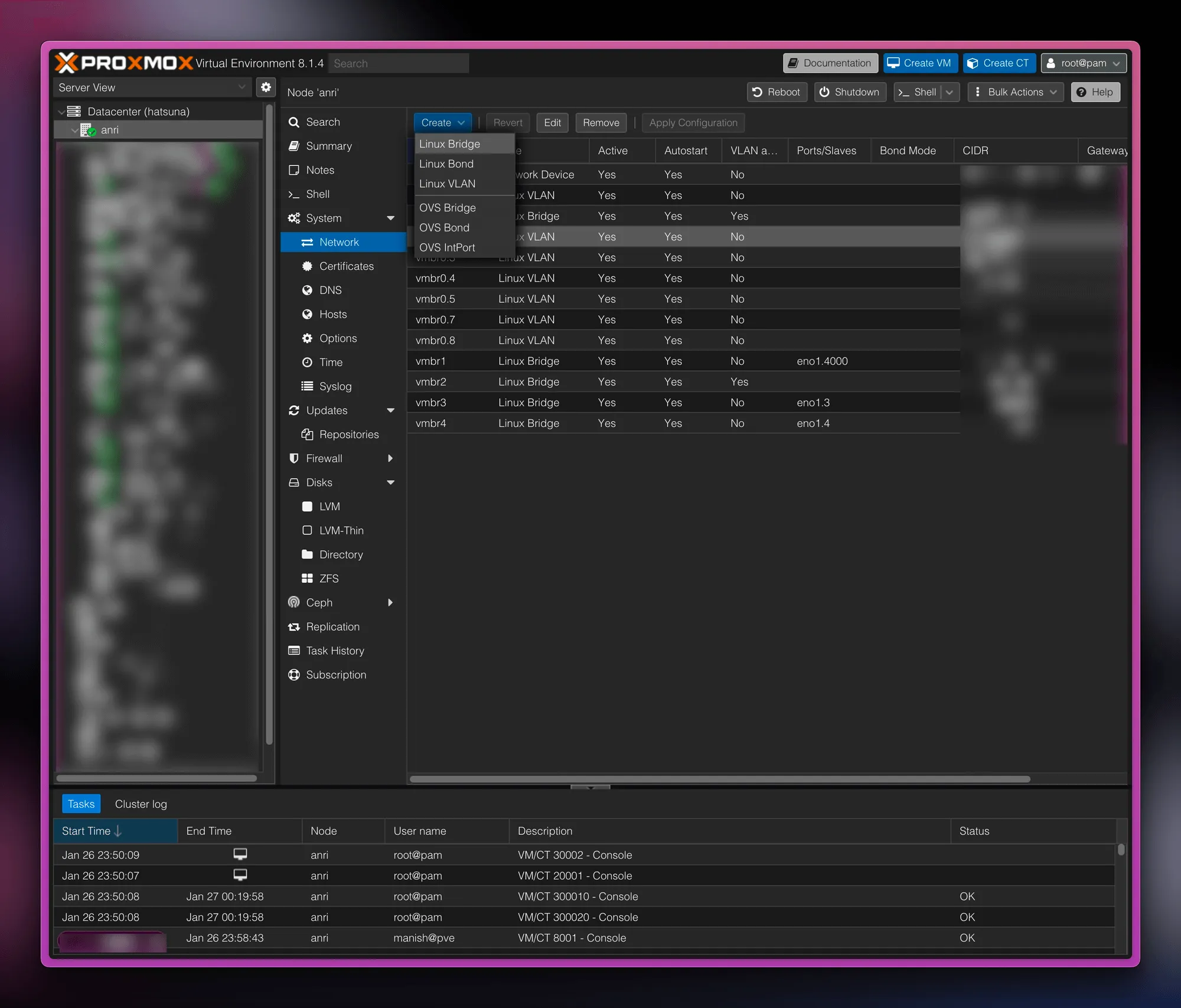
Visit the Network tab under the node and create a Linux bridge:
VLANs in Proxmox-B1E5114A69115E413CC5C93A6D5974C9
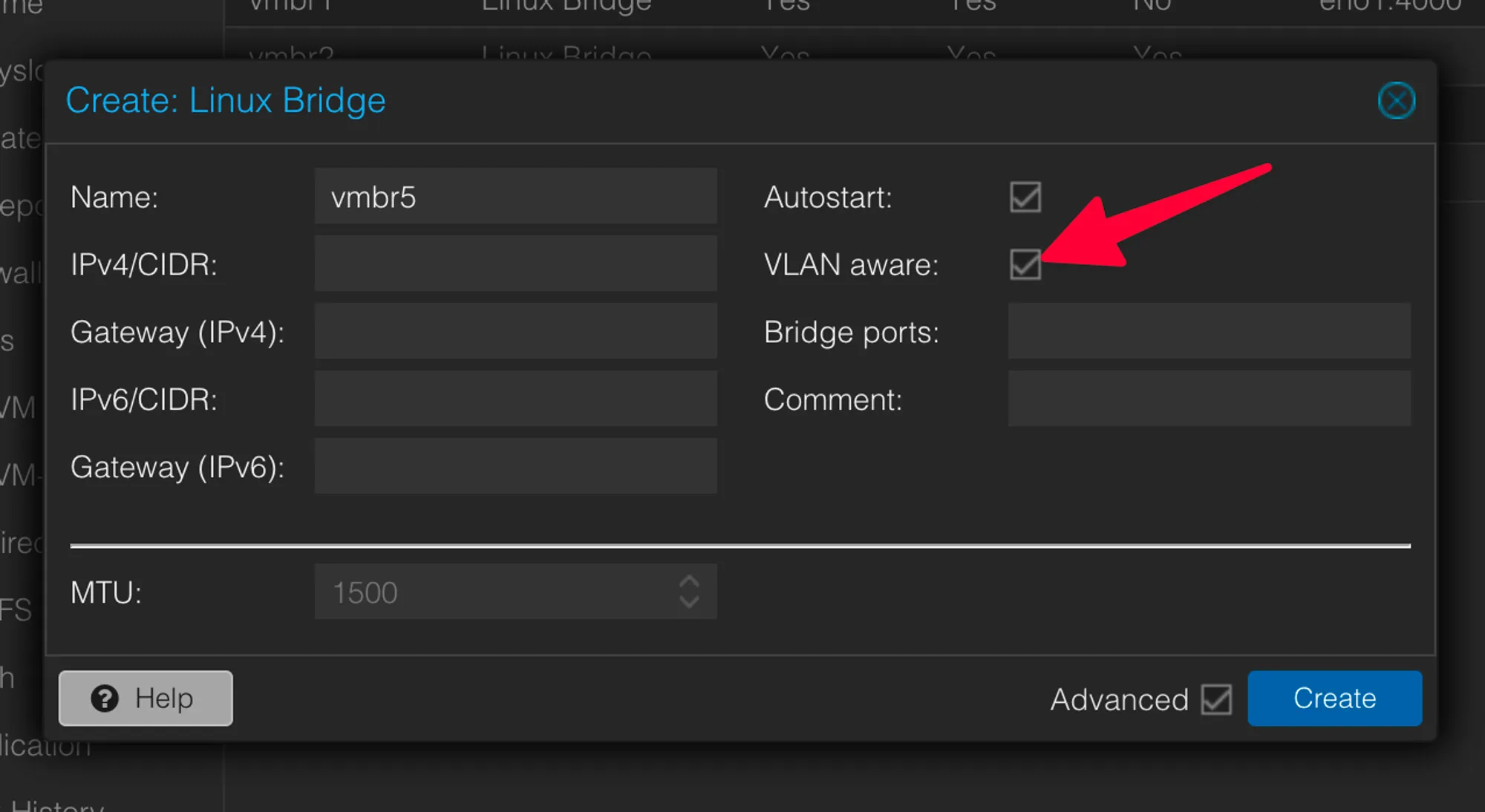
Tick the “VLAN Aware” box.
VLANs in Proxmox-69800FC1FB4DE08F4E901B0DFBDFBD72
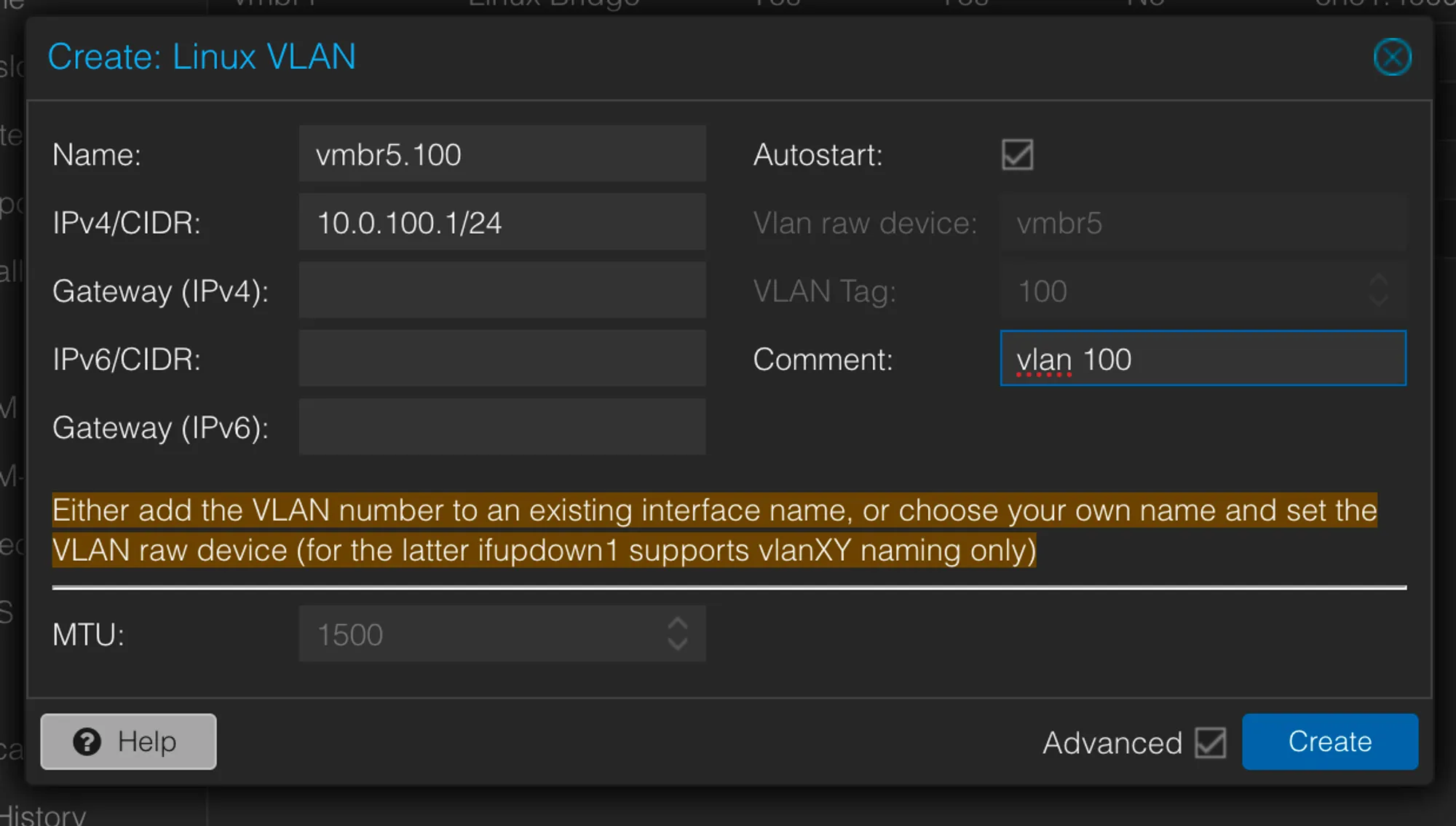
Create a “Linux VLAN” too as we want the Proxmox Host to do the routing. Here we want to define a subnet as the VM will be permitted to set an IP within this subnet.
VLANs in Proxmox-A02EC4C335EBF04839EC73F003A679B9
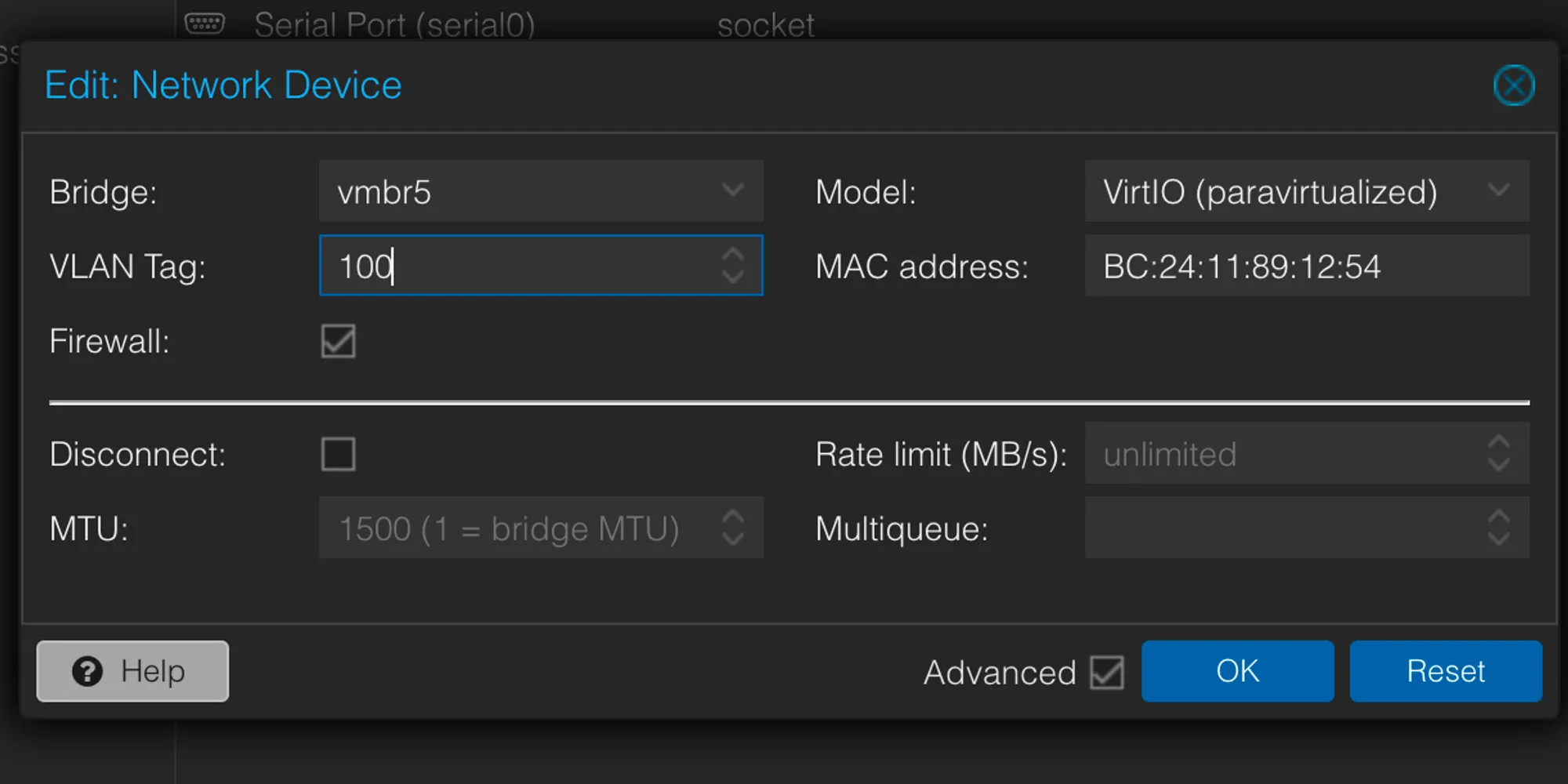
On the VM, goto the Hardware Tab. While creating the network device or editing a network device, add the vlan tag.
VLANs in Proxmox-9B114AAAB7AFBB695294488B00E59A6B
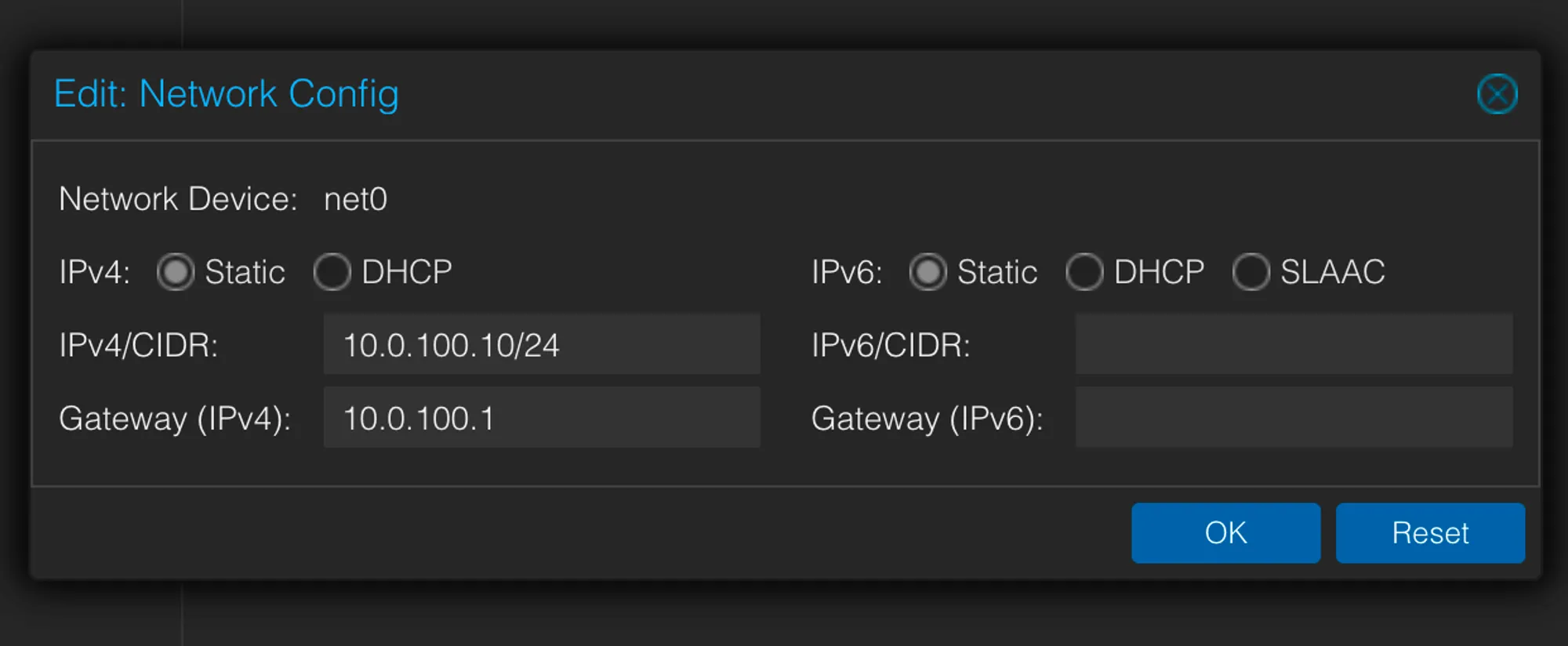
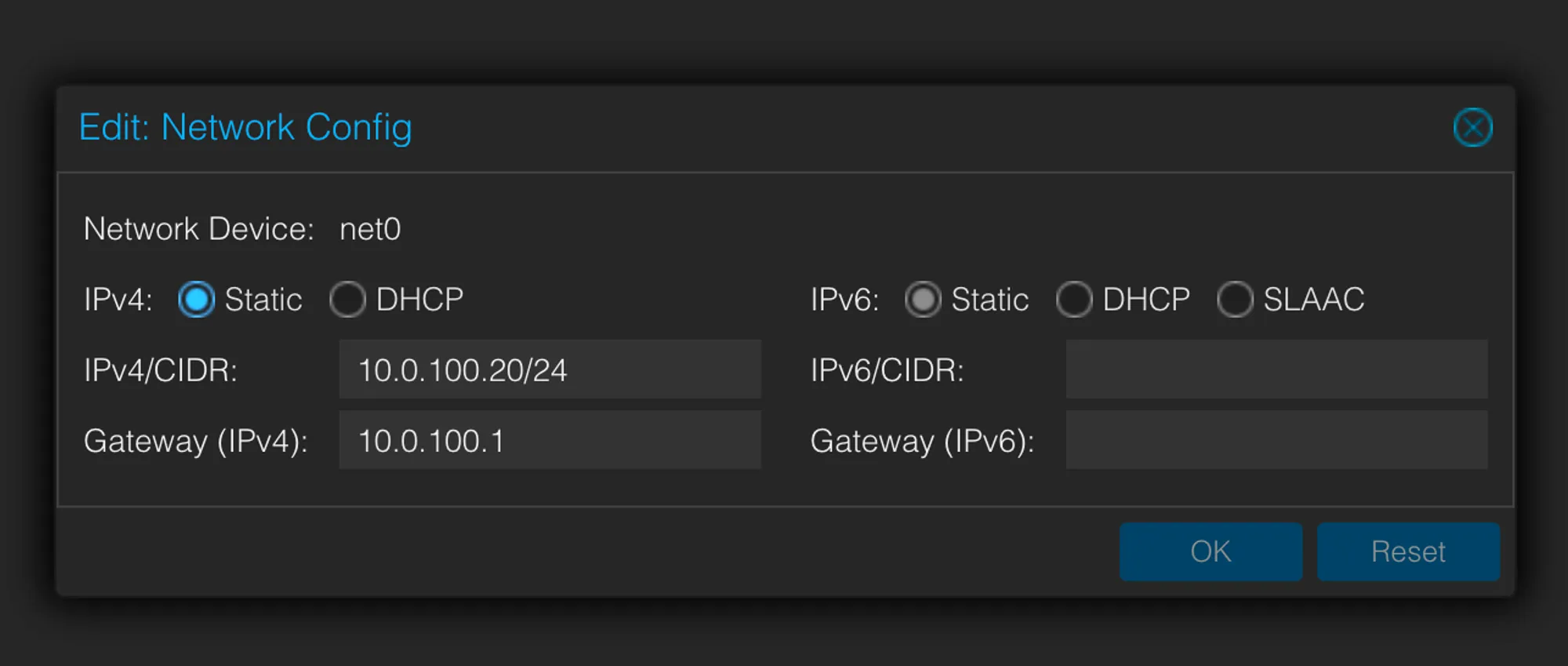
Under VM → Cloud-init, add IPs belonging the VLAN’s subnet to the VMs.
VLANs in Proxmox-FEBA052B496066D6A4D9DF952E586B04VLANs in Proxmox-3910BD626ACCFE5DFF255D66F256F2F4
Make sure to click on “Regenerate Image” to apply changes.
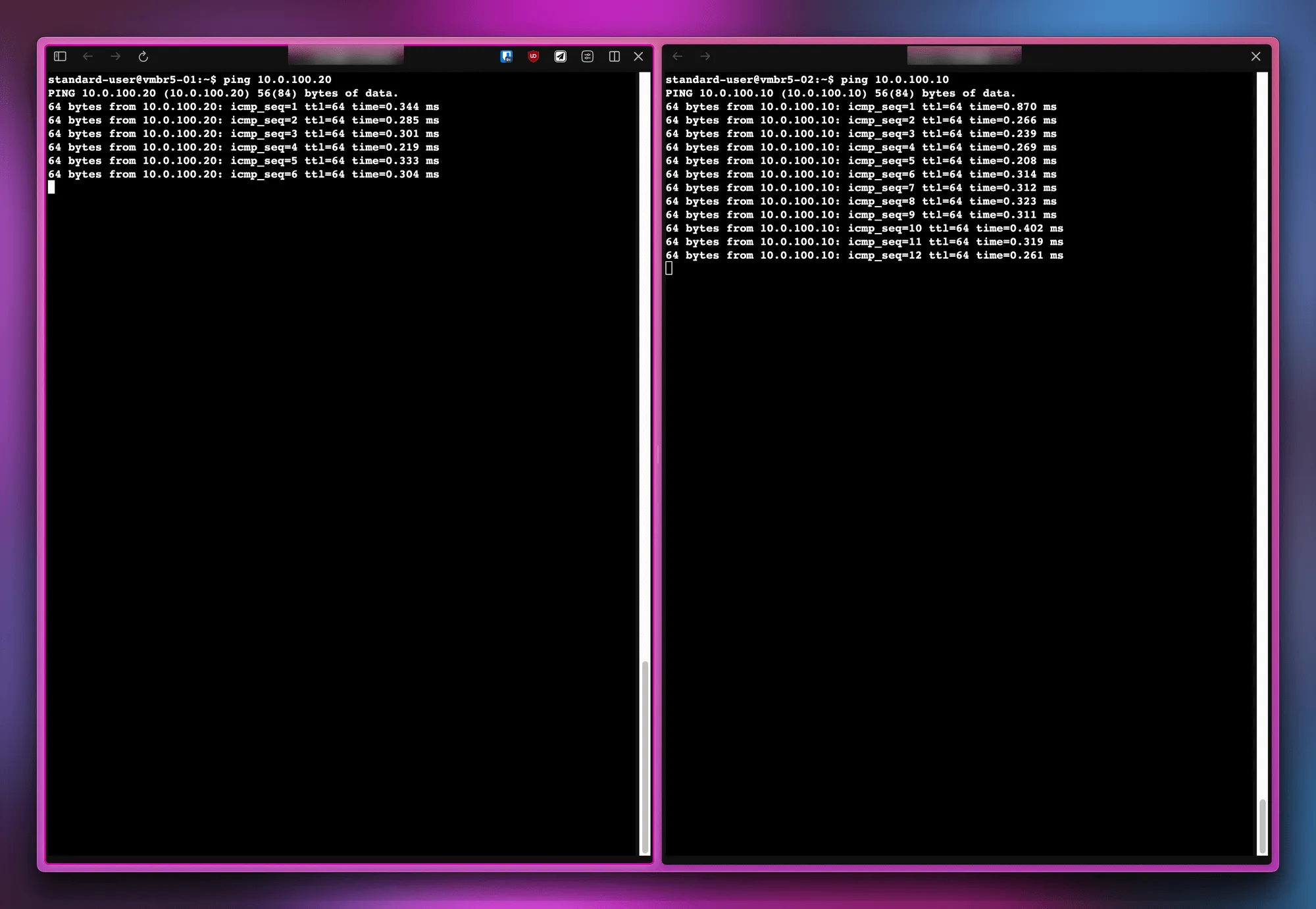
Start both VMs and get them to ping each other.
VLANs in Proxmox-C71BF1EE0E7C1C386D779562BAC07531
Traditional configuration
The VLAN tagging is done directly on the interface and the VLAN interface is referred to by a linux bridge. This VLAN interface on the physical interface is created dynamically when the linux bride is active and is in use.
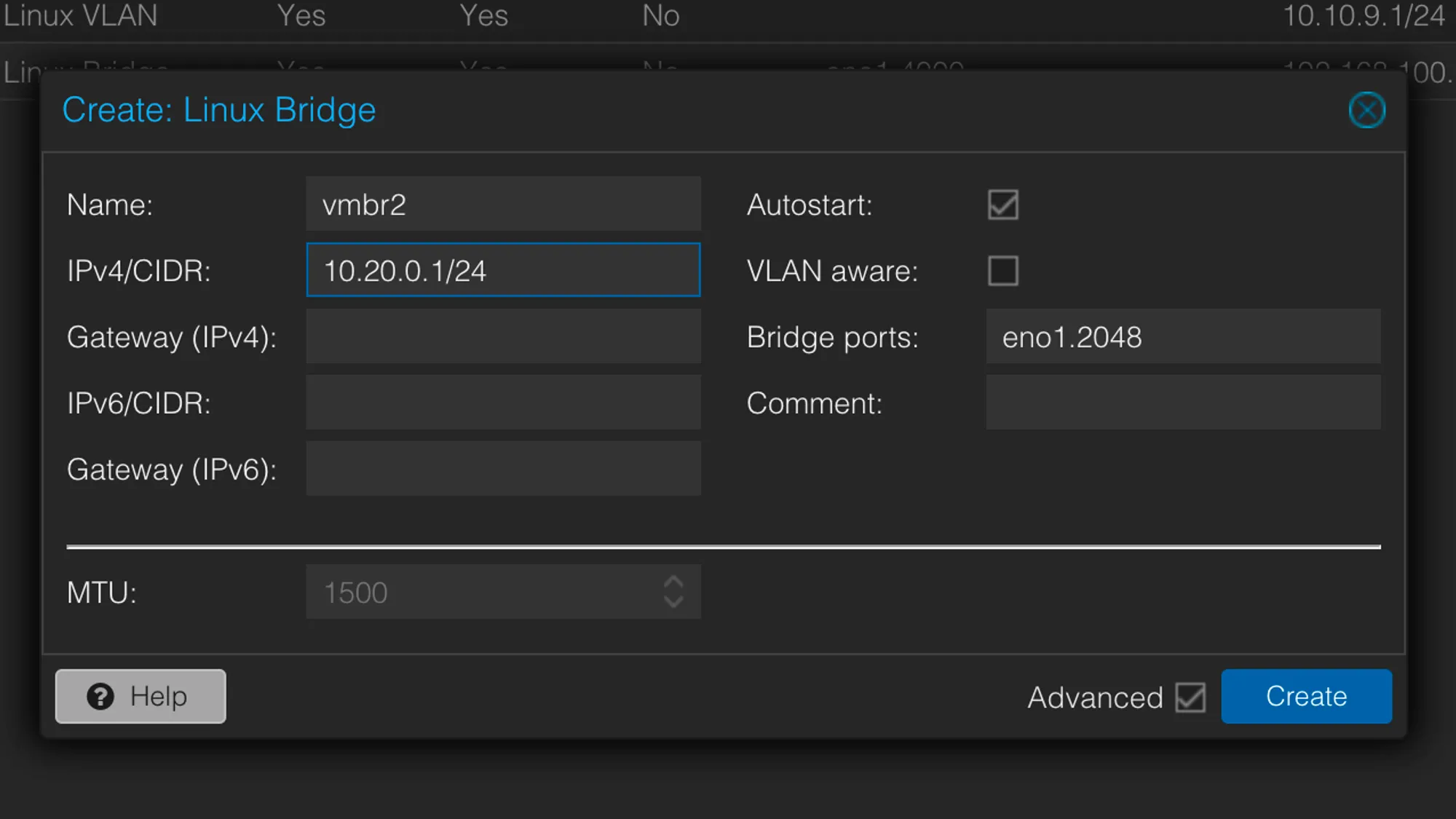
Create a Linux Bridge under System → Network that refers to a VLAN on the NIC:
VLANs in Proxmox-EB1839A6EF9B2B45245CECAB17CE2909
This time the bridge is not marked VLAN-Aware, as the tagging is done directly on the NIC. The bridge port here is the vlan tag we want to create on the NIC - 2048 in this example. eno1.2048 will be created and destroyed dynamically.
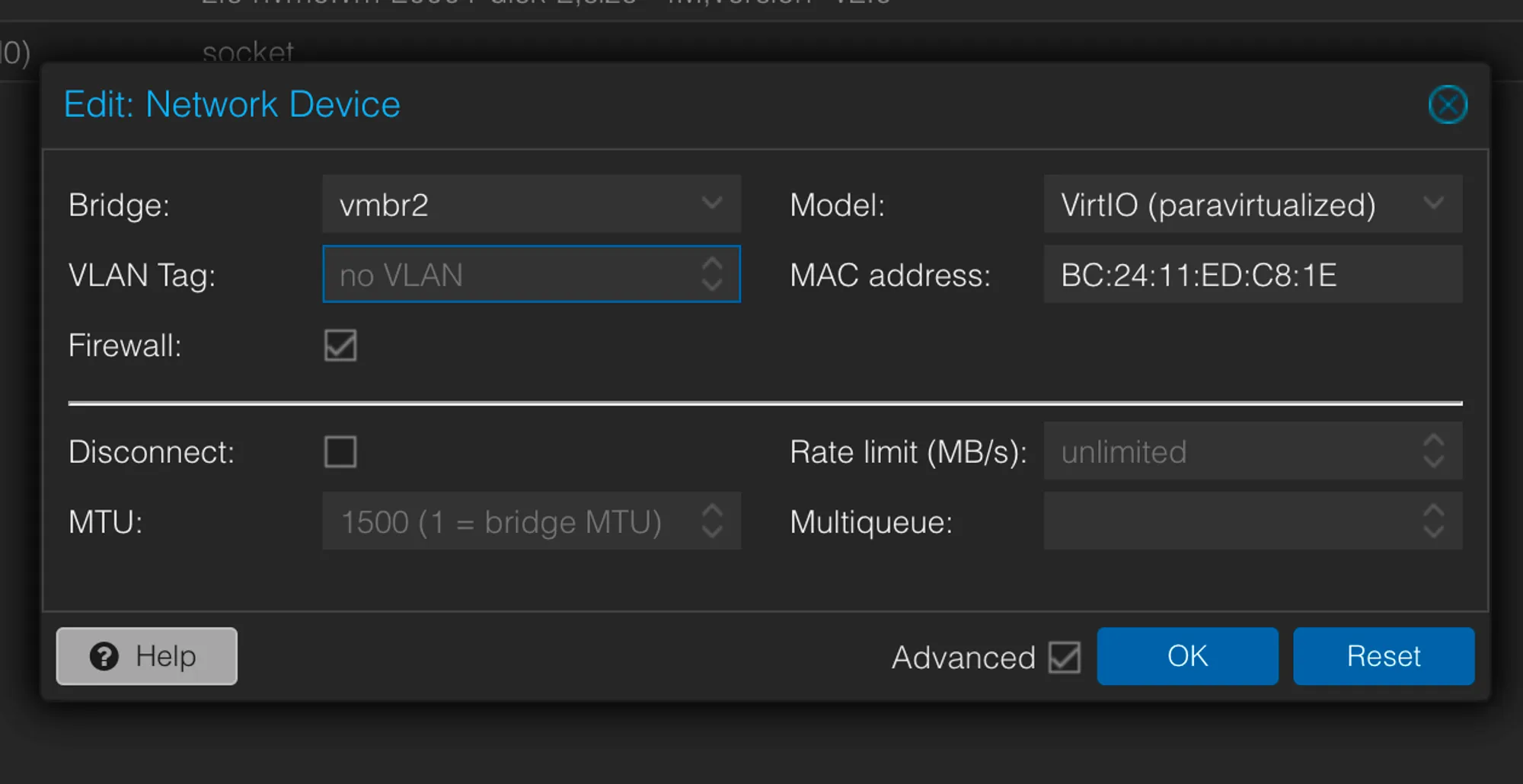
Use the bridge vmbr2 on two test VMs to put them in the same VLAN. The VLAN tag on the VM itself is empty because the VM network device does not know it belongs to a VLAN, the bridge itself does.
VLANs in Proxmox-0C354A5A599BC7404A7986907F0AAB7E
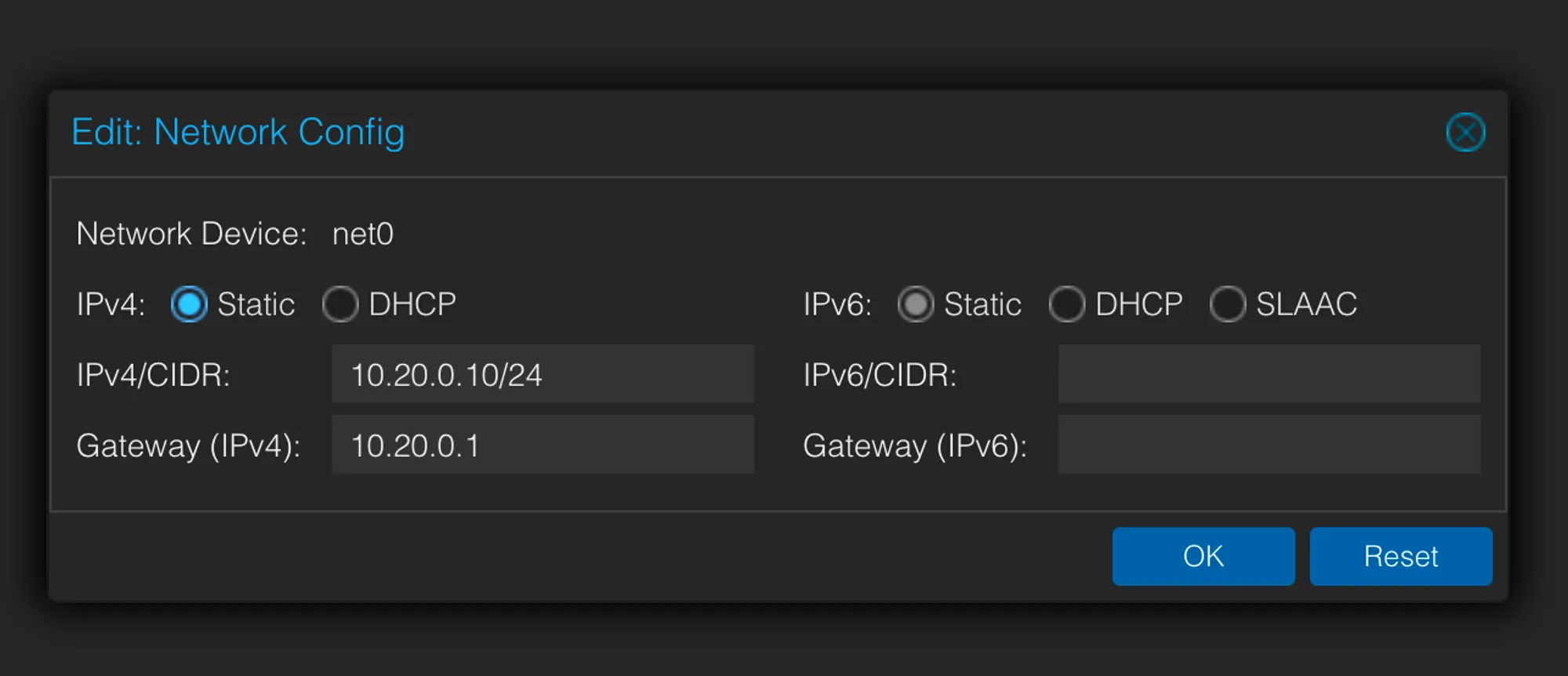
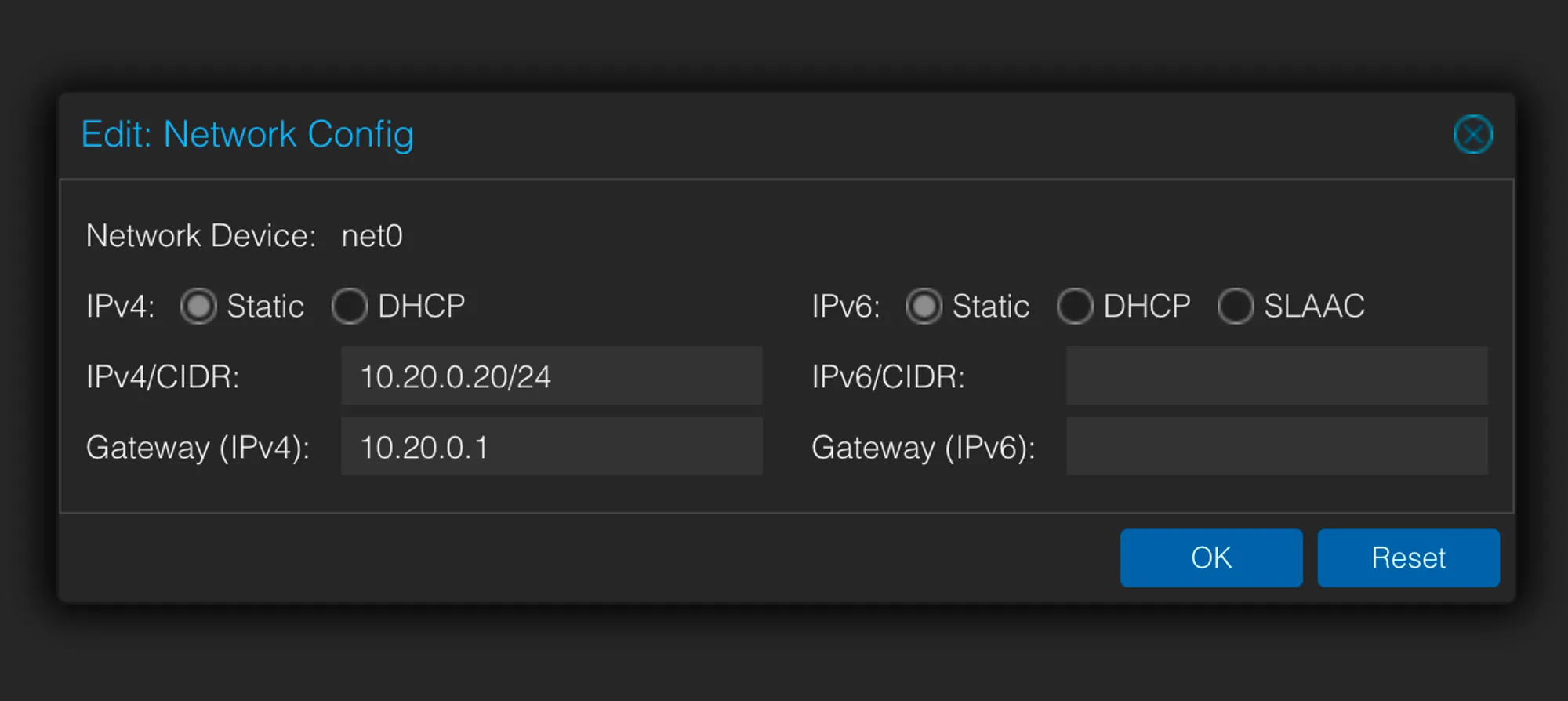
Under VM → Cloud-init, make sure the VM has an IP that belongs to our VLAN bridge:
VLANs in Proxmox-33F0D3F919B13F32B5D8B864473346F1VLANs in Proxmox-C31CBF45E611534988105CBBF5298020
Make sure to click on “Regenerate Image” for changes to apply to the VM.
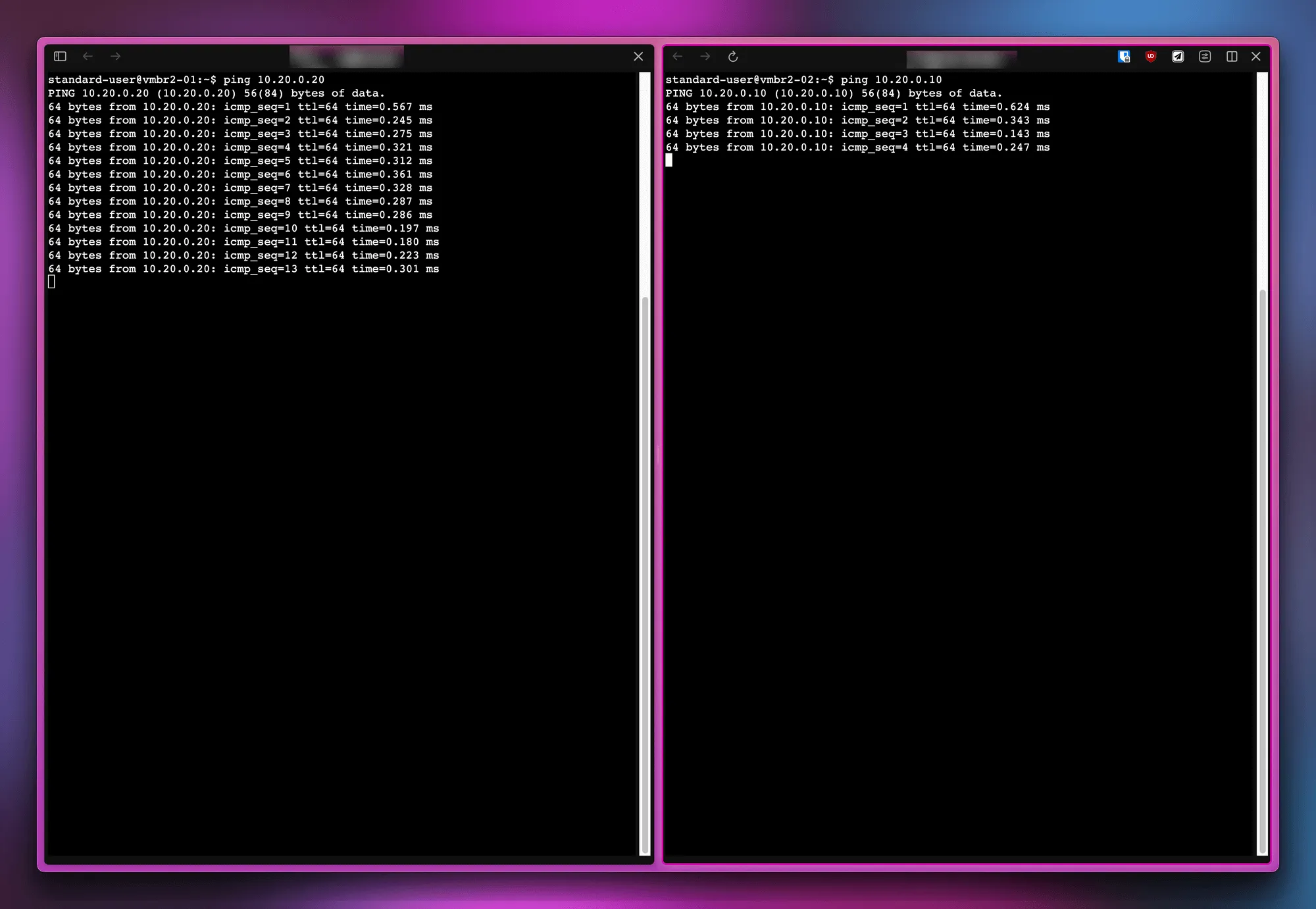
Start the VMs and try to ping each other.
VLANs in Proxmox-6647A103853A40C3D3117FC01D38E056
Why does inter-VLAN traffic work?
However, now that we have two VLANs (one on a bridge, one on a NIC), when we ping from one VLAN to the other…. this happens.
![[VLANs in Proxmox-86538024D1EDF2051ACE639E0687A864.png]]
This is because of a sysctl property that makes IP forwarding possible. The property is disabled by default on Proxmox but for a routed configuration, where traffic has to be forwarded from one interface to another, it needs to be enabled everytime on startup like this:
echo 1 > /proc/sys/net/ipv4/ip_forward
OR permanently like this:
echo 'net.ipv4.ip_forward = 1' | sudo tee -a /etc/sysctl.d/99-tailscale.confecho 'net.ipv6.conf.all.forwarding = 1' | sudo tee -a /etc/sysctl.d/99-tailscale.confsudo sysctl -p /etc/sysctl.d/99-tailscale.conf
Now Tailscale docs mention a very important side effect of allowing IP forwarding:
When enabling IP forwarding, ensure your firewall is set up to deny traffic forwarding by default. This is a default setting for common firewalls like ufw and firewalld, and ensures your device doesn’t route traffic you don’t intend.
Thus, the host here acts like a router and forwards all traffic, even the unintended bits (between two VLANs).
Fixing inter-VLAN traffic
This can be solved by setting a default forwarding policy of DROP with iptables and then allowing traffic we intend to.
Allow communication between the NIC and the bridge.
iptables -A FORWARD -i eno1 -o vmbr+ -j ACCEPTiptables -A FORWARD -i vmbr+ -o eno1 -j ACCEPT
Allow communication between the VLANs and the bridge.
iptables -A FORWARD -i vmbr5 -o vmbr5.+ -j ACCEPTIptables -A FORWARD -i vmbr5.+ -o vmbr5 -j ACCEPT

Comments